Last updated: October 24, 2026
Pull into a full Supercharger on the Friday before Thanksgiving and you will learn, inside ninety seconds, that the network’s weakest component is not the charger. It is the line. Who arrived first? Who is circling the lot? Who just backed into the stall you had been waiting on for ten minutes? Tesla’s answer, after years of shrugging, is the tesla virtual queue supercharger system, officially called Waitlist. It replaces the argument with a timestamp: your car joins a digital line, holds your place, and calls you forward when a stall opens.
It is a small feature with outsized consequences for how a road trip feels. It is also, for now, a very small pilot — five confirmed stations, an honour system instead of a lock, and a three-minute window to claim your stall that forgives exactly one mistake. This guide covers the seven things that actually matter before you rely on it: how it works, where it works, what it costs you in time, and where it can still go wrong.
One clarification first, because the naming causes genuine confusion at stations. Tesla does not use the words “virtual queue” anywhere in the car or the app. The button says Waitlist. Go looking for a queue setting in your touchscreen and you will not find one, and that mismatch is worth knowing before you arrive.
Why Tesla Built a Queue at All
Supercharger congestion is not new. What changed is who shares the stalls. Tesla has opened most of its network to other brands through the NACS connector standard, and the U.S. Department of Energy’s Alternative Fuels Data Center counted more than 72,500 public DC fast-charging ports in the United States as of May 2026, with NACS plugs making up nearly half of them. More cars, same holiday weekends. At the busiest urban and highway-corridor sites the result was a parking-lot problem: no record of arrival order, and no referee.
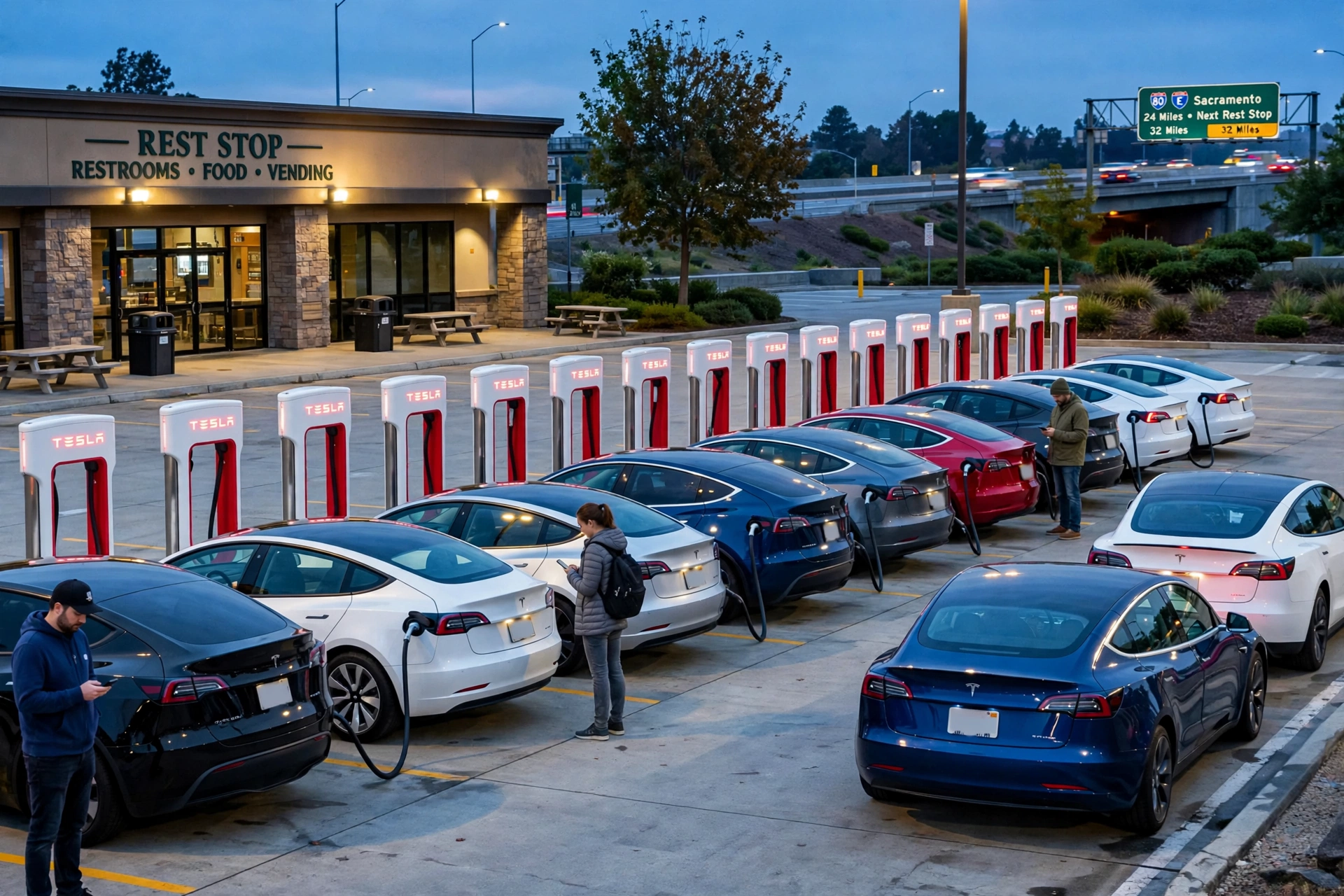
The breaking point was embarrassingly public. In February 2025, video of drivers physically fighting over charging order at a full Supercharger spread widely online, and Tesla promised a virtual queue in response. The promise slipped badly — the feature was expected during 2025 and never arrived — and it finally launched on May 11, 2026, when the Tesla Charging team announced the pilot on X and asked drivers to send feedback through the Tesla app.
Reliability is the lens I use for every charging feature, and a queue is a reliability feature. A stall that works perfectly is worthless if three drivers believe it is theirs. The queue does not add a single kilowatt to the network. It adds order. And order, at a full station, is the difference between a calm 20-minute stop and a story you end up telling your insurance company.
Thing 1: The Tesla Virtual Queue Supercharger Is Called Waitlist — and It Lives at Five Stations
Tesla’s support documentation describes Waitlist plainly: a virtual queuing system available for Tesla vehicles and other EVs at select Supercharger sites. When a site with Waitlist reaches capacity, you join the waitlist to hold your place in line and see your estimated wait time. If the site is not near capacity, nothing changes at all — you plug in as usual and the waitlist never appears.
The confirmed pilot list, from Tesla’s own announcement, is five stations:
- Los Gatos, California — Los Gatos Boulevard
- Mountain View, California — El Monte Avenue
- San Francisco, California — Lombard Street
- San Jose, California — Saratoga Avenue
- Bronx, New York — East Gun Hill Road
Four of the five sit in the San Francisco Bay Area, the densest Tesla market in the world, which makes them a sensible stress test. The fifth is the interesting one. New York City Superchargers get hammered daily by ride-hail drivers, so the Bronx queue gets exercised on an ordinary Tuesday, not just on holiday weekends.
Here is my first firm opinion, and I will not soften it: five stations is a token pilot for a network Tesla itself sizes at more than 85,000 stalls across 9,000-plus sites worldwide, figures the Tesla Charging team reported on October 2, 2026. The software clearly works at five sites or at five hundred; a database does not care. Every busy urban station in North America should have had this switched on for the 2026 holiday season, and the fact that drivers in Los Angeles and along the I-95 corridor are still negotiating arrival order by eye contact is a choice, not a technical limit.
How the Virtual Queue Works, Step by Step
The official Waitlist instructions on Tesla’s support site describe two doors into the same queue — the car and the app. Here is the sequence in the order you will actually meet it.
- Navigate to the station. Set the Supercharger as your destination in the car’s navigation. Tesla’s trip planner already tracks the site’s live occupancy, and navigating there is what arms the queue.
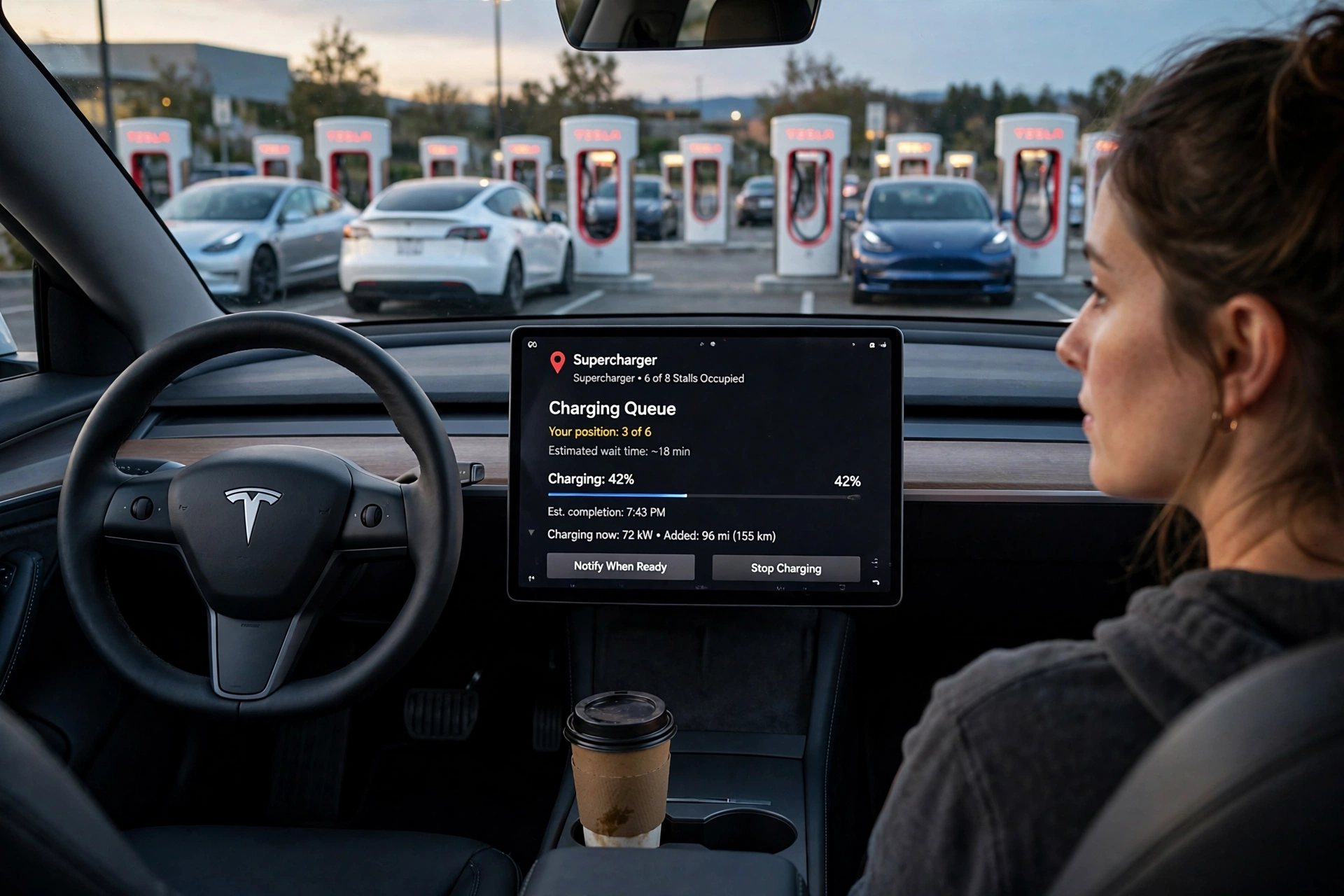
- Get added automatically. If the site has an active waitlist, a Tesla driving in with navigation running is added to the queue on its own as it approaches. Not using navigation? A “Join Waitlist” button appears on the touchscreen as you near the site. Tap it.
- Or join from your phone. Open the Tesla app and tap “Join Waitlist” on the home screen. If it is not there, go to “Find Chargers,” select the Supercharger, and tap “Join Waitlist” on its page. You need Tesla app version 4.56.5 or later; the in-car route needs vehicle software version 2026.14 or later.
- Watch your position. The app and the touchscreen both show your place in line and an estimated wait. On an iPhone, the queue also runs as a Live Activity, so your position and the number of cars ahead sit on your lock screen. No hovering by the car required.
- Wait where you like. This is the entire point. Your place is held by the system, not by your car’s physical position in the lot, so you can sit in the café, stretch your legs, or stay in the car with the seat reclined.
- Move when you are called. When a stall opens for you, the app and the touchscreen both notify you. From that moment you have three minutes to plug in and start the session. Running late? The screen offers an “Add 30 Seconds” button to stretch the window slightly.
- Charge, then clear the stall. The queue behind you moves only as fast as the cars in front of it. When your session ends, unplug and go. Congestion and idle fees at busy sites still apply, and they are covered below.
Two exit rules complete the picture. You can leave voluntarily at any time with the “Leave Waitlist” button in the app or on the touchscreen. And the system removes you automatically in two situations: if you leave the site, or if you miss your turn twice. One missed call is forgiven. Two reads as a pattern, and the queue treats it as one.
Thing 2: Three Minutes Is Shorter Than You Think
Three minutes. That is the whole window between the notification on your phone and a cable plugged into your car, with a single 30-second extension if you ask for it. On paper it sounds generous. At a real station — coffee in one hand, phone in the other, car parked two rows away because the lot was already full when you arrived — it is brisk.
The habits that protect your place are unglamorous. Keep the phone audible; a silenced notification is a missed turn. Once your position reaches two or three, stay within a short walk of the car. And treat the first missed call as the warning it is, because the second one ends your wait entirely and sends you to the back of a line that, on a holiday afternoon, may have grown by a dozen cars while you were inside.
Thing 3: Nothing Physically Stops a Queue-Jumper
Here is the design decision that will decide whether this system earns drivers’ trust. The waitlist does not lock the stalls. A driver who ignores the queue and plugs straight in is not blocked by the hardware. As Electrek reported from the pilot, the app answers with a prompt — “There is a waitlist to charge. Are you sure you want to start a charging session now?” — and if the driver insists, the session starts anyway.
My second firm opinion: that is too weak, and Tesla should fix it before any wider rollout. A queue enforced by courtesy works beautifully among courteous people, who were never the problem. The drivers this system exists for are precisely the ones who will tap “yes, I’m sure” without a flicker of hesitation. Tesla controls the car, the app, the stall and the billing relationship; a hard rule — no out-of-turn session start at a waitlist site while a queue is active, with a clear exception path for accessibility needs and emergencies — sits entirely within its power. Until the queue has teeth, read your position number as a strong social agreement. Not a guarantee.
Thing 4: Non-Tesla Drivers Can Join the Same Line
The queue is not a Tesla-only perk. Tesla’s support page states that Waitlist is available for both Tesla vehicles and other EVs at sites that offer it, and the Tesla Charging team confirmed at launch that non-Tesla drivers can join the waitlist through the Tesla app.
If you drive a Ford, Rivian, Hyundai or any other brand with Supercharger access, your route in is the app only. Your car cannot auto-join, because automatic enrolment runs through Tesla’s own navigation and touchscreen. You will need a Tesla account in the app, the app updated to version 4.56.5 or later, and location services switched on — Tesla uses your phone’s location as well as your vehicle’s to judge whether you are actually at the site. Arrive, open the station under “Find Chargers,” join the waitlist, and watch your position climb like everyone else.
One honest unknown deserves stating. Tesla has not published exactly how the queue interleaves auto-joined Teslas with app-joined non-Teslas at the same site beyond a single shared line, and early pilot coverage does not settle it. The reasonable reading is one queue, ordered by join time. If you ever see the position in your brand’s app disagree with the Tesla app at the same station, trust the earlier timestamp — and send the pilot team feedback through the app, which is what Tesla asked drivers to do.
Thing 5: The Queue Is Free. The Fees Around It Are Not.
Joining a waitlist costs nothing. What has not changed is everything Tesla already charges to keep busy stalls turning over. Congestion fees still apply at busy sites — reported at $1 per minute once a car charges past 90% at a full station, with the first five minutes waived — and idle fees still punish a finished car left plugged in. The queue organises who charges next. It grants nobody extra minutes on the stall.
Read those three mechanisms as one system, because Tesla plainly does. The waitlist creates order at the entrance. The congestion fee creates urgency near the top of the charge curve. The idle fee clears the stall at the end. Three small pressures, one goal: no stall sits empty while a line of drivers waits for it.
The Wait, in Numbers: Our Own Model
Tesla does not publish the formula behind its wait estimates, so we built the simple version ourselves. The arithmetic is not exotic, and stating the assumptions matters more than the answer. Take a 12-stall V3 site, completely full, with an average session of 27 minutes — a typical 10-to-80% stop. Session length is the variable that drives everything here, and our guide to how long it takes to charge an electric car breaks down why real sessions land where they do. Twelve stalls each finishing a 27-minute session means one stall frees up every 2.25 minutes, and the site clears roughly 27 cars an hour.
Now run the queue through it. Third in line: about 7 minutes of waiting. Seventh: about 16 minutes. Eleventh: about 25 minutes. The model cross-checks neatly against Tesla’s own pilot demonstration, which showed two cars ahead of the arriving driver and an estimated wait under five minutes — two cars multiplied by 2.25 minutes each is 4.5 minutes. When a back-of-envelope model and the manufacturer’s demo agree, the envelope is probably honest.
Here is the holiday version, because this is where a queue earns its keep. Suppose 38 cars an hour arrive at that same 12-stall site. Arrivals now outrun the site’s 27-car hourly capacity by about 11 cars an hour. Two hours into the surge, roughly 22 extra cars are stacked in line, and a driver joining at that point — 23rd in the queue — waits about 52 minutes. On a smaller 8-stall urban site with slower 31-minute average sessions, a stall frees every 3.9 minutes, so nine cars ahead of you means roughly 35 minutes of waiting.
Notice what the queue does and does not do in this model. It does not shorten your total wait by one second; stall count and session length set that, and no software changes it. What it changes is the quality of the wait and its fairness. Under the old first-come etiquette those same 25 minutes were spent sitting in the car, guarding your position, and your place could still be stolen by a bolder driver in the final ten seconds. Under the waitlist, about 22 of those 25 minutes are yours to spend out of the car, and your claim is a timestamp nobody can argue with. If the estimate looks worse than a detour, bail early — our guide to finding EV charging stations shows how to locate a quieter site before you are committed to the line.
Thing 6: Tesla Virtual Queue Supercharger Etiquette — the New Rules of the Line
The old Supercharger etiquette was unwritten, which was precisely the problem. The waitlist writes most of it down. The rest is easy to state plainly.
Join the queue even if you think a stall is about to free up; five drivers doing private arithmetic about the same stall is how arguments start. Do not try to join from the highway ten minutes out — the system is built around drivers who are actually at the site, and it removes drivers who leave. When you are called, move. Three minutes is the deal you accepted when you joined. Charge to what you need rather than to 100% while a line waits behind you, because the last 20% of the battery is the slowest part of the curve and the most expensive in everyone else’s time; our breakdown of the Tesla Model Y speed range test shows why a shorter, faster stop usually beats a full one on a road trip. And if your plans change mid-wait, leave the waitlist properly, so the estimates shown to everyone behind you stay honest.
Thing 7: As of Late 2026, It Is Still a Pilot — Plan Accordingly
Where does the system stand as of this writing, on October 24, 2026? Honestly: publicly, exactly where it started. Tesla’s support page still describes Waitlist as available at “select Supercharger sites.” Tesla has published no expanded station list, and the only confirmed locations remain the original five. Tesla’s charging leadership said at launch that the team would iterate on driver feedback and that a successful pilot would scale to more Superchargers. No rollout schedule has been announced since, and any source that quotes you one is guessing.
So the planning rule for the 2026 holiday season is unglamorous. Assume no queue exists until your car or your app offers you one. Keep doing what worked before it existed: travel off-peak where you can, arrive with enough charge in hand to skip one full station entirely, and treat a waitlist prompt, when it appears, as a pleasant upgrade rather than a promise kept. The direction is right — a network of 85,000 stalls cannot run on eye contact and hand gestures. Direction, though, is not deployment.
Our Verdict on the Virtual Queue
Our score: 7.6/10. Fairness: 9/10 — a shared, timestamped order of arrival is the single biggest improvement to busy-site charging in years, and it includes non-Tesla drivers rather than locking them out. Speed: 6/10 — the queue creates no stalls and no kilowatts; it redistributes waiting, it does not reduce it. Clarity: 8/10 — your position, an estimated wait and a live lock-screen counter are genuinely well designed, held back only by the naming mismatch (drivers say “virtual queue,” Tesla says “Waitlist”) and the unpublished expansion plans. A good system, honestly scored, now waiting on Tesla to give it enforcement and reach.
Frequently Asked Questions
Which stations have the tesla virtual queue supercharger?
Five pilot stations are confirmed: Los Gatos (Los Gatos Boulevard), Mountain View (El Monte Avenue), San Francisco (Lombard Street) and San Jose (Saratoga Avenue) in California, plus the Bronx, New York (East Gun Hill Road). Tesla’s support page lists Waitlist at “select Supercharger sites” only, and no expanded list had been released as of October 24, 2026.
How do I join the waitlist at a Supercharger?
Tesla drivers navigating to a waitlist site are added automatically as they approach, or can tap “Join Waitlist” on the touchscreen. Anyone, Tesla driver or not, can join in the Tesla app from the home screen or through “Find Chargers.” The app route needs Tesla app version 4.56.5 or later; the touchscreen route needs vehicle software 2026.14 or later.
What happens if I miss my turn?
Once you are notified, you have three minutes to plug in and start charging, and an “Add 30 Seconds” button extends that window slightly. Miss your turn once and you are forgiven. Miss it twice, or leave the site, and the system removes you from the waitlist — you would have to join again at the back.
Can non-Tesla EVs use the virtual queue?
Yes. Tesla states that Waitlist is available to other EVs as well as Tesla vehicles at sites that offer it, and non-Tesla drivers join through the Tesla app using a Tesla account. The automatic enrolment through the car’s navigation is Tesla-only, because it runs on Tesla’s own touchscreen system.
Does joining the waitlist cost anything?
No. Joining and holding a place in the queue is free. Normal Supercharger pricing still applies to the charging session itself, and congestion and idle fees at busy sites are unchanged by the queue.
Can another driver still jump the queue?
Physically, yes. Reporting from the pilot shows the system warns a driver who tries to start a session out of turn — “There is a waitlist to charge. Are you sure you want to start a charging session now?” — but it does not block the session. The queue is a strong, visible agreement rather than a lock, which is why technical enforcement sits at the top of our wish list for the next version.