Last updated: October 27, 2026
Verdict first, because that is the only honest way to handle tesla tricks: the useful ones are free, already in your car, and worth about one afternoon of learning. The Easter eggs are harmless, well documented, and slowly shrinking. The myth tricks range from useless to genuinely risky. Everything below is sorted into those three piles, scored, and checked against Tesla’s own manuals and support pages as of October 2026.
Price check, since the title promises one: almost nothing in this article costs money. The features ship with the car. The exceptions are Premium Connectivity, Tesla’s paid subscription for satellite maps, streaming and live traffic visualisation (about $10 a month or $99 a year in the US (est.)), and the third-party apps covered near the end, which run on subscriptions of their own. If a website tries to sell you a “tricks pack” for a Tesla, close the tab. Tesla gives this stuff away and documents much of it itself.
One warning before the list. Tesla changes features by software update, and it deletes them the same way. A trick that works on a 2023 Model Y may be missing on a 2026 build, and cars with the older Intel infotainment computer miss some of the newer visual modes that AMD Ryzen cars get. Where a feature is confirmed removed or restricted, this article says so and dates it.
The sorting rule used throughout is simple. A trick is “useful” if it saves time, shows you true information, or fixes a problem without a service visit. It is an “egg” if its only job is to make a passenger laugh. It is a “myth” if the claimed benefit does not survive contact with the car’s own energy meter. Hold every list on the internet to that standard and most of them fall apart.
Useful tesla tricks that earn their keep
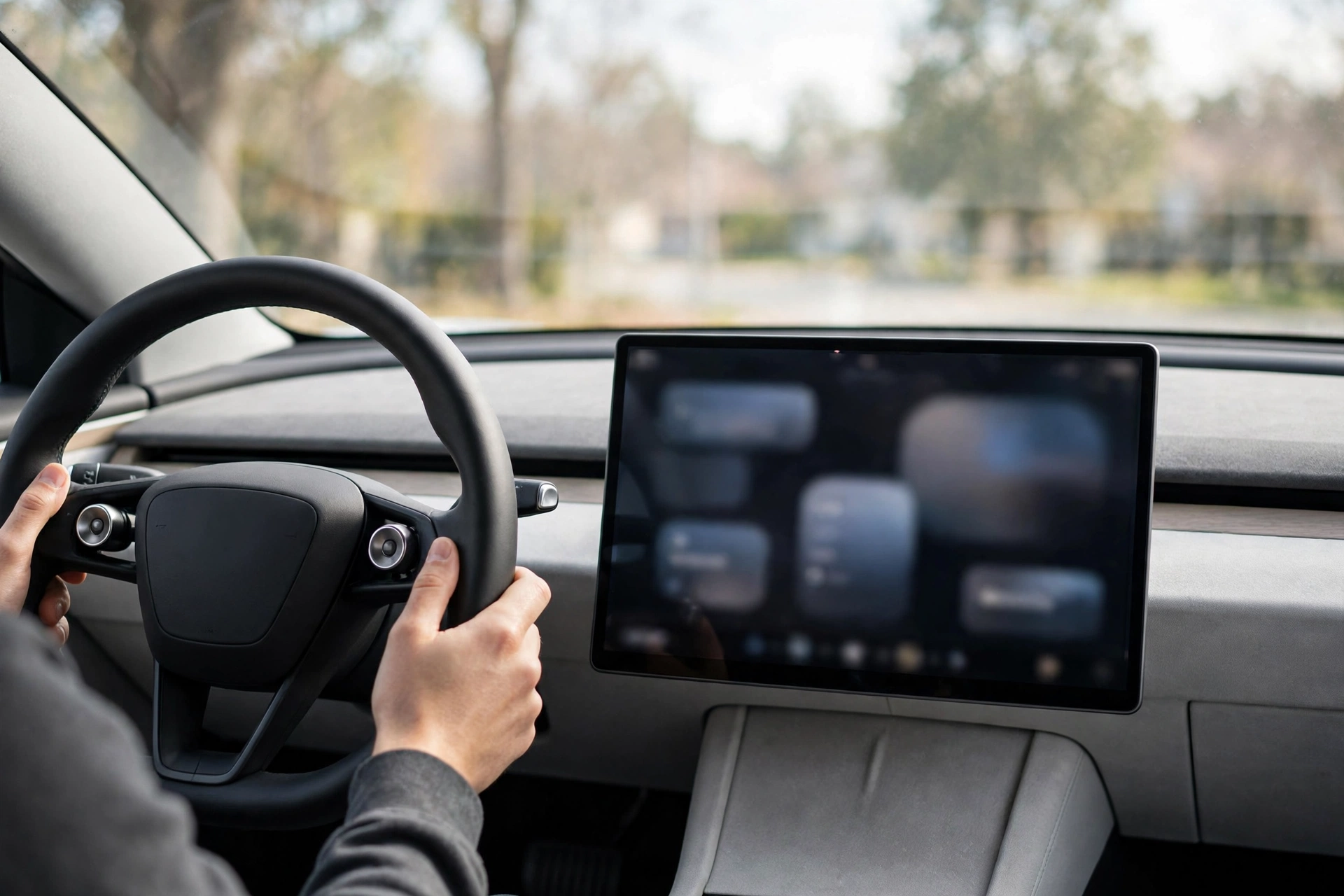
Customise the left scroll button. This is the single best trick on the car and most owners never find it. Since software 2023.12, a long press of the left steering-wheel scroll button opens a function menu. Set the default under Controls > Display > Scroll Wheel Function. Assignable actions include saving dashcam footage, opening the glovebox, adjusting screen brightness, switching acceleration mode and toggling the camera view. Update 2025.38 added more: Bioweapon Defense Mode, mute navigation guidance and Music Light Sync on cars that have the lighting hardware. Pick dashcam save if you drive in traffic. Pick glovebox if passengers keep asking.
Save dashcam footage in one press. Tapping through menus after a near miss is a bad system, so do not. With dashcam save assigned to the scroll button, one long press locks the clip. Tesla also offers a save-on-honk setting in the dashcam options on current software. The in-car viewer improved in 2025.38 as well: event details now include street names, which is exactly what an insurance form asks for. Small change. Real value.
Reboot the screen properly. Frozen screen, dead map, stuck camera: hold both scroll buttons down until the display goes black, then wait roughly 30 seconds for it to restart. Tesla’s manual is explicit about two things — do it parked, and understand that it restarts only the touchscreen, not the car. Half the “broken Tesla” panic posts online end with this ten-second fix.
Tap the battery readout. Tapping the percentage at the top of the screen switches the display between percent and miles. Simple, and it teaches the most important lesson in this article: the miles figure is a rated estimate, not a measurement. The next section shows the maths.
Read Service Mode, carefully. Open Controls > Software, press and hold the car’s model name for a couple of seconds, type the access code “service”, and the screen gains a red border. Tesla’s own service manuals document this entry route. Inside you can read active and recent alerts in plain language, check battery and charging information, and run calibrations such as window calibration. Used-car buyers should ask a seller to open it during an inspection; an alert history is hard to fake. Now the boundary. Service Mode also contains settings that change how the car behaves, including test modes that disable safety systems. Read everything. Touch nothing you cannot explain. If a menu needs a laptop and a Toolbox subscription, it was never meant for the driveway.
Two smaller settings deserve a line each. Joe Mode lowers the volume of the car’s chimes, which sleeping children in the back seat will appreciate. PIN to Drive is not a trick at all, just a four-digit lock under Controls > Safety that stops a thief who has your phone key from simply driving away. Set both in the first week.
Verdict — useful tricks. Our score: 8/10. Real utility: 9/10. Accuracy of the claims: 9/10 — Tesla documents nearly all of this itself. Risk: 2/10, and almost all of that risk sits inside Service Mode menus that were built for technicians.
Charging and energy: the tesla tricks that show you the truth
The Energy app is the most underused screen in the car. It shows consumption in watt-hours per mile (Wh/mi) for your actual driving, split between driving, climate, battery conditioning and everything else, including drain while parked. That one number turns every range argument into arithmetic.
Here is the worked example, using a Model Y Long Range with roughly 75 kWh of usable battery (est., based on the pack size Tesla’s EPA filings imply). The rated display assumes consumption near 250 Wh/mi: 75,000 Wh ÷ 250 Wh/mi = 300 miles shown. Drive at a real highway pace and the Energy app will likely report something near 290 Wh/mi: 75,000 Wh ÷ 290 Wh/mi = 258.6 miles, call it 259. Same battery. Same car. A 41-mile gap that is not a fault, not degradation, and not a conspiracy — just your right foot priced honestly. Our Model Y speed and range test explainer walks through how speed drives that number, and our guide to electric car cost per mile prices the same Wh/mi figure in dollars.
Two physical tricks belong in this section. On a Model 3 or Model Y with no handle button nearby, press on the rear edge of the charge port door itself and it opens. And learn where your car’s manual charge-cable release is — the owner’s manual shows it inside the trunk — because a stuck connector at 11 pm is the wrong time to start searching. No tesla tricks article can fix connector standards for you, though; if you charge away from home often, check plug types with our EV charger compatibility checker before a trip, not at the plug.
The honest calibration note: owners of standard-range cars with lithium iron phosphate (LFP) packs are told by Tesla to charge to 100 percent at least once a week. That guidance is real, and it exists so the battery management system can calibrate its state-of-charge estimate on a chemistry with a very flat voltage curve. It makes the gauge accurate. It does not unlock hidden range, which brings us neatly to the myths section after the fun.
And the time-saving claim, priced honestly (est.): a long-press glovebox opening saves about 6 seconds versus the touchscreen route; at four uses a week that is 24 seconds a week, roughly 21 minutes a year. One-press dashcam saves perhaps 8 seconds per save, twice a month, another 3 minutes a year. Call it 25 minutes a year (est.) across the best shortcuts. Worth having. Not worth a headline.
Easter eggs: tesla tricks as party nonsense, scored as such
Tesla hides its jokes in the Toybox, under the app launcher, and its manuals list them with a straight face. Current, verified residents include:
- Emissions Testing Mode. The fart feature. Choose a sound, choose a seat, trigger it with the turn signal or the left scroll button, or turn a seat into a whoopee cushion. Cars with a Pedestrian Warning System (PWS) speaker can broadcast it outside, but only while parked. You can even fire it remotely from the Tesla app. Juvenile. Perfectly executed.
- Santa Mode. Your car becomes a sleigh on screen, surrounding traffic turns into reindeer, pedestrians render as elves, and the indicator click becomes sleigh bells. Voice command “Ho Ho Ho” gets you there and plays a Christmas track.
- Halloween Mode. The newest arrival, landing in software 2026.38.3 in time for October 2026. Toggles for Ghost Costume and Trick or Treat restyle the parked and driving visualisations, and per the release notes it stays in the Toybox year-round rather than vanishing in November.
- Rainbow Road. Set “Always Rainbows” in the Toybox and the driving visualisation paints the road ahead in rainbow colours when assisted driving is engaged. Older Model 3 and Model Y cars with a stalk also had a shortcut: pull the Autopilot stalk four times in quick succession, a method Tesla’s own manual documented.
- Light Show. Park outside, windows down, volume up. The car performs a choreographed routine of lights, windows, mirrors and charge port to music. Custom shows load from a USB drive and can be scheduled. Tesla’s manual adds the sensible note: not on or near public roads.
- The small stuff. Romance Mode lights a virtual fireplace. Mars turns your map into the Martian surface. Sketchpad and TRAX cover art and music. Renaming your car “42” triggers the Hitchhiker’s Guide joke. And while locked and charging, press the charge connector button ten times in quick succession and the charge port light runs a rainbow cycle — Tesla documents that one in the manual too, with the driest line in any owner’s manual: “Neat, huh?”
Verdict — Easter eggs. Our score: 6/10. Real utility: 3/10, and that is generous. Accuracy of the claims: 8/10, because Tesla lists these features in its own manuals rather than leaving them to folklore. Risk: 1/10 while parked, which is the only place most of them work now. That was not always true, and the next section is the receipt.
The graveyard: tricks Tesla has removed or restricted
Boombox while driving is dead, by recall. Boombox let owners play sounds through the external PWS speaker. Playing them on the move could mask the pedestrian warning sound US law requires, and the National Highway Traffic Safety Administration acted. Recall 22V-063 in February 2022 covered 578,607 cars; it was superseded by NHTSA recall 22V-235, which reached 594,894 vehicles and disabled Boombox in Drive, Neutral and Reverse, including Summon modes, for non-compliance with FMVSS 141. Boombox still works in Park. Any video showing it blasting music at speed is old footage or a car that skipped years of updates.
Steam gaming is gone from new Model S and Model X. Tesla launched a native Steam app in December 2022, Cyberpunk 2077 and all. In May 2024 it told buyers awaiting delivery that the updated gaming computer in new S and X cars “is no longer capable of playing Steam games”. Cars already delivered were reported unaffected at the time. The lighter built-in Arcade remains, with titles such as Cuphead, Sky Force Reloaded and Vampire Survivors still listed in recent coverage. Games also stay locked while the car is moving: Tesla blocked Passenger Play in late 2021 after NHTSA opened an investigation into playing while driving.
The pattern matters more than any single deletion. Tesla treats features as software, and software gets revised. Our rundown of common Model Y problems shows the same habit on the serious side of the car: fixes and changes arrive over the air, for better and occasionally for worse. Never buy a Tesla for one feature. Buy it for the car, and treat every Toybox resident as a tenant, not a owner.
Myth tesla tricks that do nothing, or worse
“Drain it to zero, charge to 100, unlock hidden range.” No. On the nickel-based packs in most Teslas, deep discharges are stress, not therapy. The state-of-charge estimate may shift after a full cycle because the battery management system re-anchors its estimate, and the displayed number can move a few miles either way. No capacity is created. The only true version of this story is the LFP calibration guidance above, and even that is about gauge accuracy, not extra miles.
“Plug-in dongles and range chips.” The car meters its own energy down to the watt-hour, as the Energy app proves. No accessory plugged into a diagnostic port changes the physics of a 4,000-pound car moving through air. There is no verified, repeatable range gain from any such device. Save your money.
“Your Tesla is a boat.” Musk has talked for years about Teslas floating briefly, and about a future Cybertruck boat package. It has not shipped. What has shipped is Cybertruck Wade Mode, and Tesla’s manual is blunt about its limits: roughly 32 inches (815 mm) of water, at 1 to 3 mph, for up to 30 minutes, with the battery pressurising to keep water out — and water damage is not covered by the warranty. Wade Mode is a river-crossing tool for one model. Every other Tesla is a car. Treat flooded roads accordingly.
“Service Mode secret settings make it faster.” Test and dyno configurations exist for technicians and disable protective systems by design. They add no power. They remove safeguards. That is the worst trade on this entire page.
Verdict — myth tricks. Our score: 1/10. Real utility: 0/10. Accuracy of the claims: 1/10, saved from zero only by the distorted LFP kernel. Risk: 8/10, because the failure modes are a stressed battery, a voided warranty argument, or a very wet interior.
Third-party apps and add-on buttons: extra tricks, real trade-offs
Most tesla tricks lists stop at the car itself. The legitimate extras come from software, not sorcery. Tessie logs drives and charges, tracks battery health against a large fleet, and adds automations; it is a paid service, by subscription or one-time payment. TezLab focuses on efficiency tracking and community comparisons, with a free tier; on current cars it connects through a virtual key and Tesla’s Fleet Telemetry, so the car streams data rather than being polled awake. Stats serves Apple-focused owners with watch controls and Siri shortcuts. All three beat the official app at history and analysis. None of them changes how the car drives.
Be clear-eyed about the cost, which is data. Tesla’s own support page on managing access with third-party apps states that data you share with an app is governed by that app’s privacy policy, not Tesla’s, and that Fleet API rules prohibit apps from selling your personal data. You can review and revoke access under Account Settings > Security > Third Party Apps. Do that audit once a year. An app you deleted in 2024 may still hold a live token.
Hardware add-ons, chiefly button kits that place physical controls on the dash of stalkless cars and talk to the vehicle through a hub wired into its systems, fix a real complaint: no stalks. They are also unofficial hardware inside a warrantied car. Tesla does not sell them, does not document them, and a service centre is entitled to ask questions if one is fitted during a related repair. Useful for some owners. Go in with your eyes open.
Frequently asked questions about tesla tricks
What are the most useful tesla tricks for a new owner?
Five, in order: customise the left scroll button, assign dashcam save to it, learn the two-button screen reboot, tap the battery readout and learn the Energy app, and set Joe Mode and PIN to Drive. That list takes twenty minutes and covers nearly all the real-world value in this article.
Do Easter eggs cost anything or drain the battery?
No purchase is involved; Toybox features are built in. Light Show and Boombox draw from the 12-volt and audio systems like any parked entertainment, so the drain over a five-minute show is trivial. The real cost of some eggs was regulatory, not electrical, as the Boombox recall shows.
Why did Boombox stop working while driving?
Because US federal standard FMVSS 141 requires a pedestrian warning sound that Boombox could obscure. NHTSA recalls 22V-063 and then 22V-235 forced a software fix across nearly 595,000 cars, limiting Boombox to Park. The parked version still works on cars with the external speaker.
Can using tricks void my warranty?
Documented features, Easter eggs and read-only Service Mode screens are normal use. The exposure sits elsewhere: changing technician settings, fitting unofficial hardware into the car’s wiring, or ignoring the manual’s water limits. If a modification plausibly relates to a failure, expect an argument. Our research method page explains how we check claims like these before printing them.
Do these tricks work on every Tesla and every year?
No, and anyone who says otherwise is guessing. Boombox and external Emissions sounds need the PWS speaker, fitted to US cars built from around September 2019 onward. Halloween Mode’s fancier visuals favour newer Ryzen-equipped cars. Stalk shortcuts vanish on stalkless models. Check your own Toybox and Controls menus; they are the final authority for your car.
Are third-party Tesla apps safe to connect?
The established names connect through Tesla’s official Fleet API with scoped permissions, and Tesla forbids them from selling personal data. Safe is still a choice, not a default: grant the least access offered, and audit connected apps in your Tesla account settings periodically.
The final word
Buy the car for the car. Then spend one afternoon on the five useful tricks, let the kids have the Toybox on parked evenings, and delete every video that promises hidden range. That is the whole truth about tesla tricks: the software giveth, and as Boombox and Steam proved, the software taketh away. The tricks worth keeping are the boring ones — and boring, here, is a compliment.